 Audio for Motion: Lifetime Plans Are Live: Get 20% OFF on Plus plan with Coupon - AUDIO20
  Back to blogs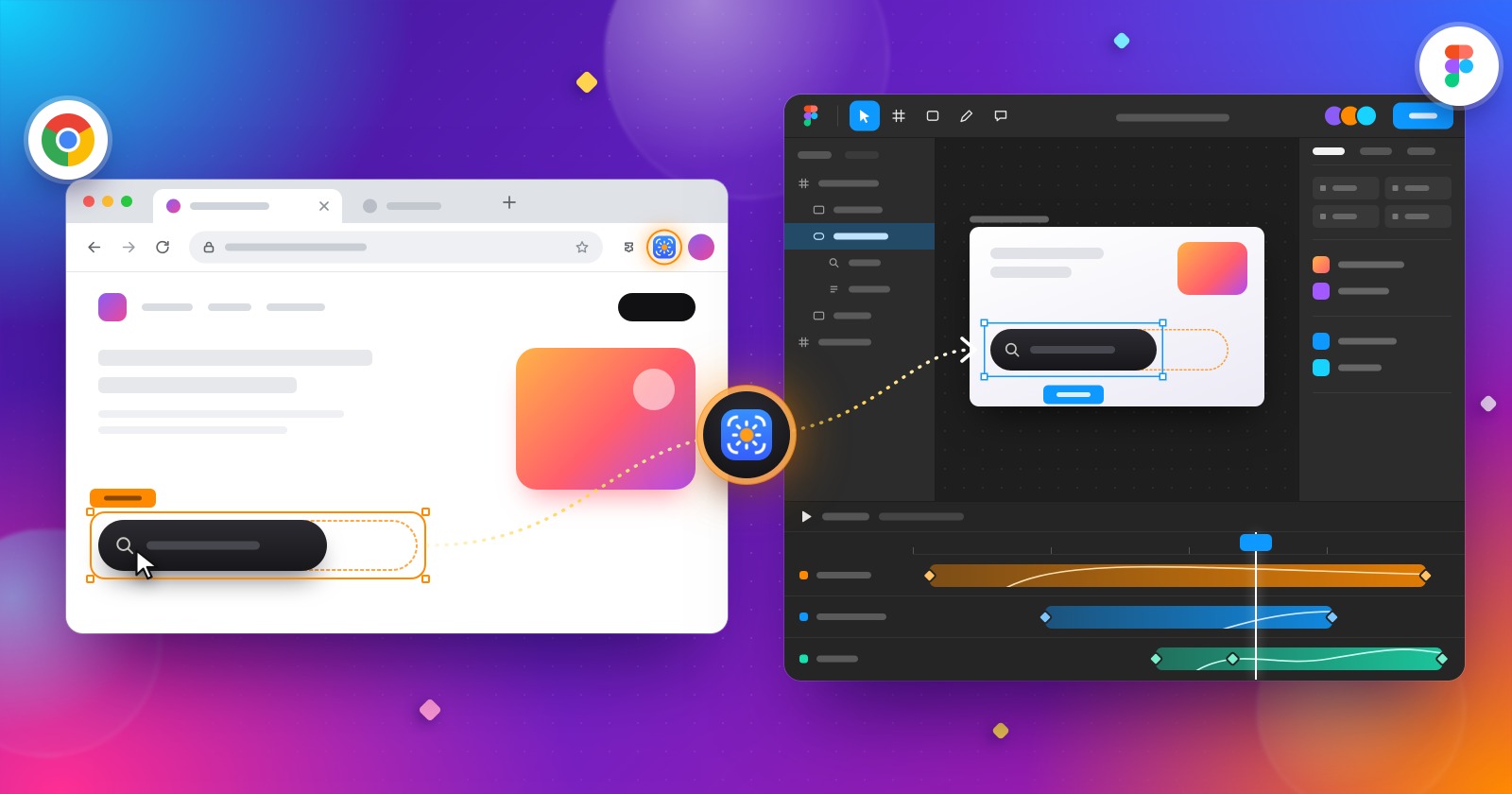
You’re browsing a website and spot an incredible animation. Maybe it’s a smooth scroll reveal, a creative text transition, a floating element or a beautifully animated hero section.
You think, “I need this in my Figma project”
Then reality hits. You start inspecting elements, recording screen references, guessing animation timings, recreating movement and adjusting keyframes. What looked like a simple animation reference suddenly becomes hours of work.
What if you could capture website animations and bring them into your Figma Motion workflow instead of rebuilding everything from scratch?
That’s where Capture Motion comes in.
The Traditional Way: Watch, Inspect, Rebuild
Designers often use live websites as inspiration for landing pages, product demos, presentations and interactive prototypes. But recreating an animation from a browser isn't always straightforward.
A screen recording shows what happened, but it doesn't give you an editable animation timeline. Inspecting CSS can reveal some properties, but translating those values into a motion design workflow still takes time. And when an animation depends on scrolling, hover interactions or multiple moving elements, reproducing the experience becomes even more challenging.
The result? Designers spend more time reproducing references than experimenting with new ideas.
Meet Capture Motion: Bring Website Animations into Your Design Workflow
Capture Motion by Crafttor offers a different approach. Instead of relying entirely on screen recordings and manual recreation designers can capture website animations through the Chrome extension and bring them into Figma Motion using the companion plugin.
This creates a more direct starting point for exploring existing web animations within a motion design workflow.
Imagine discovering a creative scroll animation on a landing page. Rather than treating it only as a video reference, you can use Capture Motion to bring the animation into Figma Motion and continue working with the captured motion data supported by the tool.
What Changes for Designers?
1. From observing movement to exploring it
Instead of repeatedly watching a reference video, designers can work with captured animations in their motion design environment.
2. Less manual recreation
Capturing supported website animations can reduce the need to reproduce every movement manually, leaving more time for refinement and experimentation.
3. A better starting point for prototypes
Website animations can inspire product interactions, landing pages, onboarding experiences and promotional visuals. Bringing motion into Figma makes it easier to explore those ideas alongside the rest of your design.
4. More room for creativity
The goal isn't to copy every website animation. It's to spend less time on repetitive setup and more time adapting movement, experimenting with timing and creating something that fits your own design.
From Inspiration to Experimentation
Capture Motion is especially relevant for UI/UX designers, motion designers and creative teams who regularly use live websites as references.
Whether you're studying a landing-page transition, exploring a scrolling effect or gathering inspiration for a product prototype, capturing supported animations can help bridge the gap between a browser reference and your Figma Motion workflow.
As with any website capture tool, the results depend on how the original animation is implemented and which properties are supported. Some effects may still need adjustments after import.
Stop Rebuilding Every Reference from Zero
Great animations are everywhere on the web. The challenge isn't finding inspiration; it's turning that inspiration into something you can actually work with.
Capture Motion helps make that transition more direct, giving designers another way to bring website animations into Figma Motion and build on what they discover.
See an animation you love? Don't just watch it. Capture it, explore it and make it your own.
Explore Capture Motion by Crafttor: https://www.figma.com/community/plugin/1677553678390950300/capture-motion-by-crafttor-animate-any-website-animation-in-figma
Capture Motion Chrome Extension: https://chromewebstore.google.com/detail/capture-motion/eegbcgjefjcklojepjgfbdojackmpobl