 Audio for Motion: Lifetime Plans Are Live: Get 20% OFF on Plus plan with Coupon - AUDIO20
  Back to blogs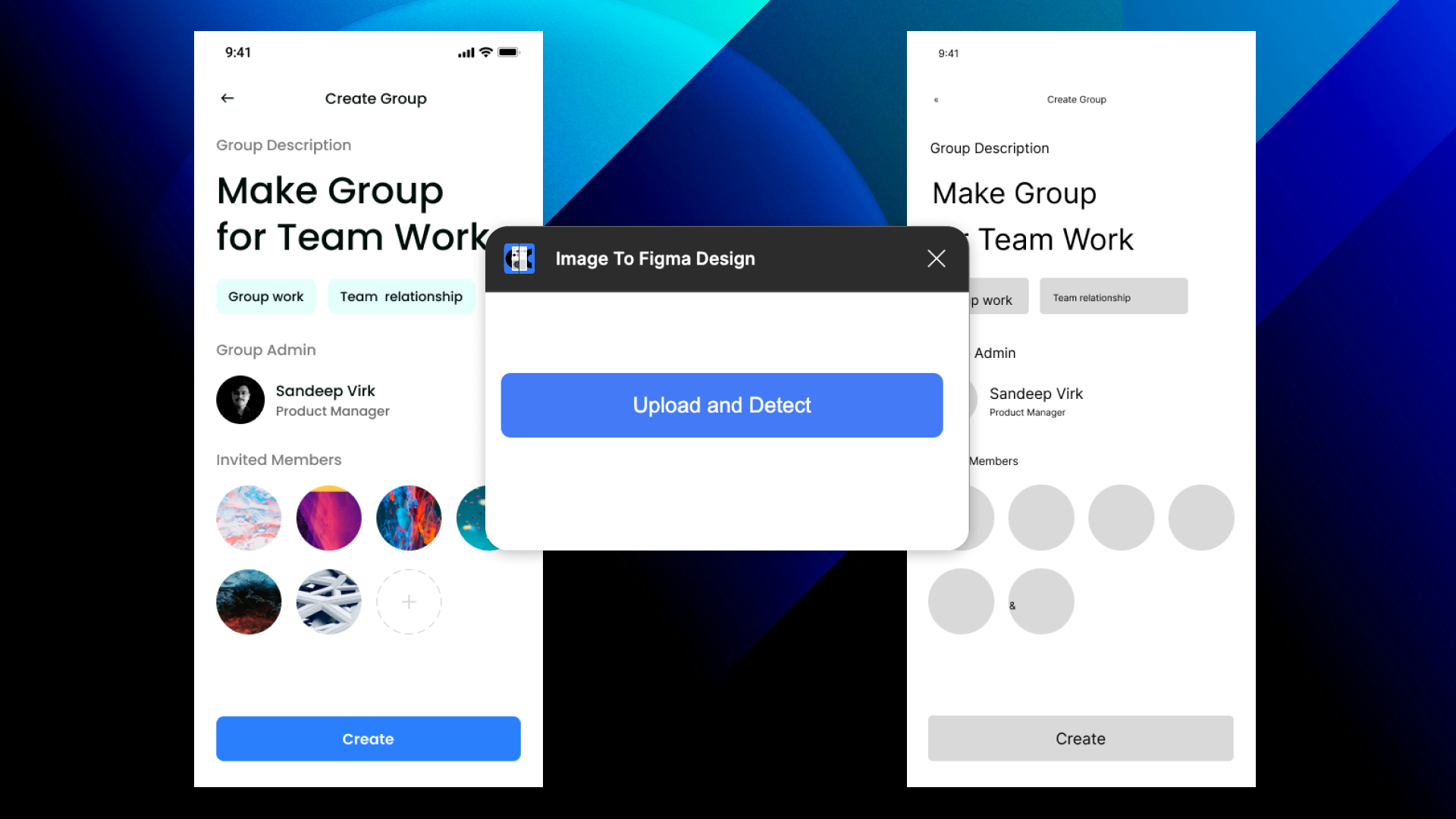
Time is a critical asset when working in a design environment. Designers are constantly on the lookout for tools that can streamline their workflow and boost productivity. Here comes the - Crafttor's "Image to Figma Design" plugin a tool that promises to transform the way designers work by turning images or screenshots into fully editable Figma designs.
What is "Image to Figma Design"?
The Crafttor "Image to Figma Design" plugin takes any image or screenshot and converts it into editable layers within Figma. Whether it's a simple webpage mockup, a design draft, or a UI screenshot, designers no longer have to manually recreate elements. Instead, this plugin breaks down the image into individual layers, making each one fully customisable within Figma.
Key Features
-
Image-to-Layer Conversion: The plugin converts images into editable Figma layers, allowing you to quickly modify, adjust, or reuse any element from a screenshot or design draft.
-
Fast Workflow: Designers can save hours of work by avoiding the tedious task of manually recreating designs from images, boosting productivity and speeding up project completion.
-
Editable Components: With the ability to transform images into components, you can scale, resize, and update the design to fit various screen sizes and formats.
How Does It Work?
Using the plugin is simple. After installing it from the Figma Community, users can upload an image or screenshot and let the plugin work its magic. The plugin analyses the image and converts it into editable elements like text, shapes, buttons, and more, providing flexibility for designers to make modifications without starting from scratch.
When Should You Use It?
-
UI Redesigns: If you're tasked with redesigning an existing website or app, you can take a screenshot and quickly convert it into an editable file.
-
Prototyping: Create prototypes faster by converting screenshots into components for quick mockups.
-
Collaborative Design: Share editable design layers with team members for seamless collaboration.
Final Thoughts
Crafttor's "Image to Figma Design" plugin is a game-changer for anyone working in design. It enhances productivity by removing manual recreations, simplifies workflows, and empowers designers to iterate on projects quickly. For anyone looking to save time and effort in their design process, this plugin is a must-try.
Ready to experience a new level of efficiency? Download the plugin today and transform your design process!