 Audio for Motion: Lifetime Plans Are Live: Get 20% OFF on Plus plan with Coupon - AUDIO20
  Back to blogs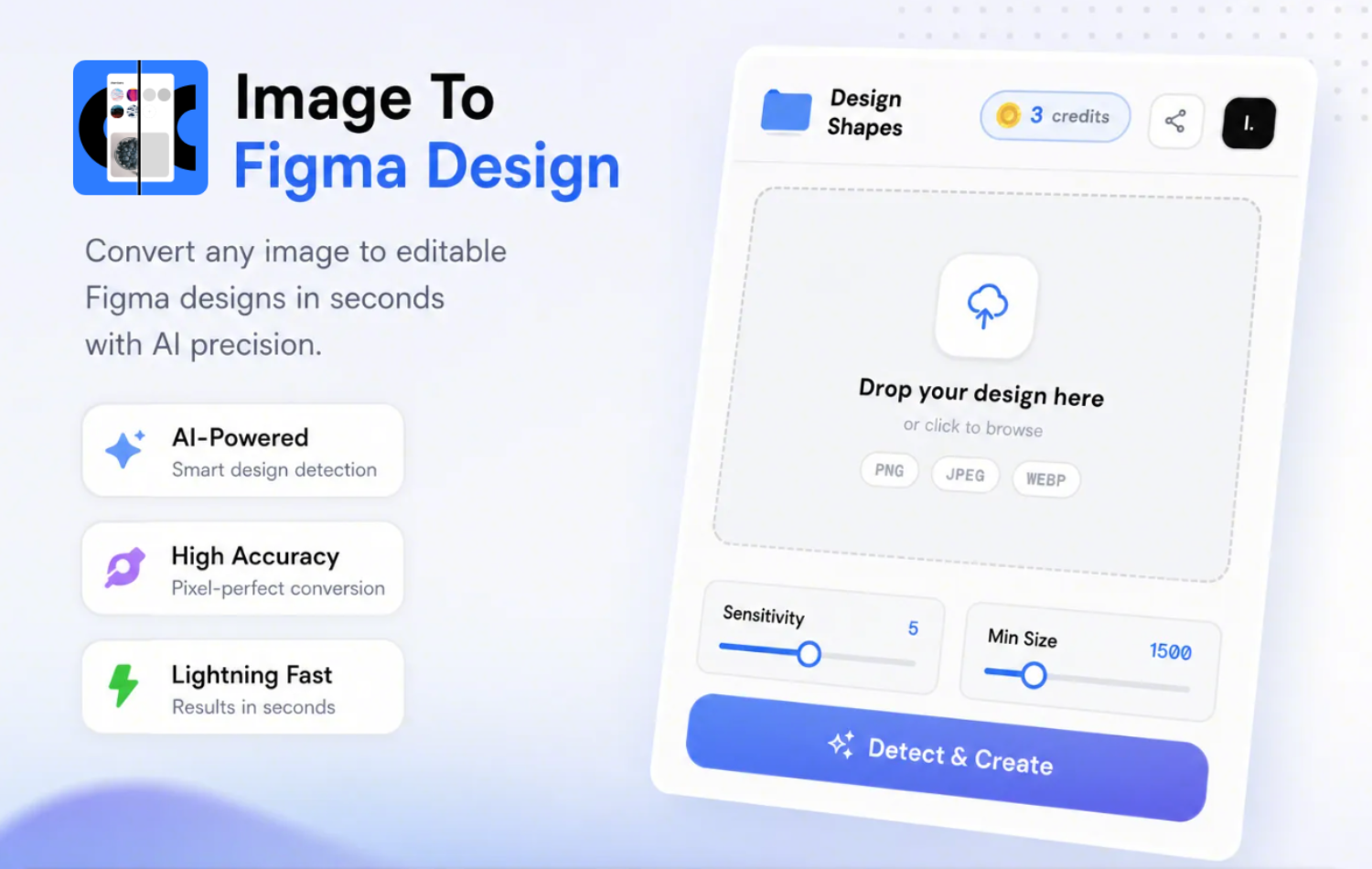
Designers spend too much time rebuilding interfaces that already exist. Whether it's a website screenshot, a mobile app UI, a landing page, or a design inspiration from Dribbble, recreating everything manually is tedious and slows down creativity.
That's exactly why we built Crafttor's Image to Figma.
And today, it's more powerful than ever.
With our latest update, Image to Figma now delivers higher accuracy, faster processing, flexible credit-based plans, support for larger images, batch conversions, and a brand-new Credit Buddy feature that lets you share your plan with a teammate or friend.
Let's explore everything that's new.
What is Image to Figma?
Image to Figma is an AI-powered Figma plugin that converts screenshots and images into fully editable Figma layers.
Instead of manually tracing designs the plugin intelligently recreates your image using editable:
-
Text layers
-
Buttons
-
Icons
-
Shapes
-
Layout elements
-
Cards
-
Containers
-
UI components
The result is a clean Figma file you can immediately edit, customize, and reuse.
Whether you're redesigning an existing product, creating inspiration boards, or reverse-engineering UI concepts, Image to Figma dramatically reduces repetitive work.
What's New in 2026?
Over the past year we've rebuilt large parts of our AI pipeline to make Image to Figma significantly better.
Here's what's new.
Faster Processing
Nobody likes waiting.
Our updated AI engine processes images much faster than before, helping you convert designs in seconds so you can stay focused on designing instead of waiting.
Perfect for:
-
Quick iterations
-
Client revisions
-
Large design projects
-
Rapid prototyping
Improved Accuracy
Speed is good but accuracy matters even more.
Our latest models produce cleaner editable layers with better recognition of:
-
Text
-
Buttons
-
Cards
-
Navigation bars
-
Icons
-
Layout spacing
-
UI hierarchy
This means less cleanup after conversion and more time spent designing.
New Flexible Credit System
Instead of limiting features based on subscriptions alone, Image to Figma now uses a transparent credit system.
Every image conversion currently costs 1 credit, giving you the flexibility to use the plugin whenever you need it. Credit usage per image may be adjusted in the future.
Whether you are an occasional designer or converting dozens of screens every day, there's a plan built for your workflow.
Choose the Plan That Fits Your Workflow
Rocket (Free)
Perfect for:
-
Trying the plugin
-
Small mockups
-
Learning the workflow
-
Personal use
Includes support for:
-
Single image conversion
-
Up to 1024×1024 resolution
-
Images up to 5 MB
Mercury
Ideal for freelancers and occasional UI designers.
Includes:
-
Higher resolution support
-
Up to 5 images per conversion
-
10 MB uploads
Perfect when you're working on client projects without needing enterprise-level limits.
Earth
Designed for professional designers and growing teams.
Features include:
-
Up to 4096×4096 images
-
Up to 20 images in one conversion
-
Priority processing
-
Larger 20 MB uploads
A great choice for agencies, startups, and product teams.
Saturn
Built for power users.
Includes:
-
Massive 8192×8192 image support
-
50 MB uploads
-
Unlimited batch conversions
-
Priority processing
If you're converting entire design systems or large website screenshots regularly, Saturn offers maximum flexibility.
Convert Multiple Images at Once
One of the biggest workflow improvements is batch conversion.
Instead of uploading screenshots one by one, you can now convert multiple images together depending on your plan.
This is especially useful when working on:
-
Complete websites
-
Mobile app flows
-
Design audits
-
UI libraries
-
Competitor analysis
-
Large client projects
Batch conversion means fewer clicks and a much faster workflow.
Introducing Credit Buddy
One of our favorite new features is Credit Buddy.
Credit Buddy allows Plus and Pro subscribers to invite one friend or teammate to share the credits from their plan.
Here's how it works:
-
Invite one friend to share your plan's credits.
-
They use your shared credit balance directly from their own plugin.
-
Credits are shared not duplicated so every conversion draws from the same pool.
-
You can remove your buddy anytime, and they can leave whenever they want.
-
Your friend only needs a free account.
-
Credit Buddy remains active as long as your eligible plan is active.
It's a simple way to collaborate without purchasing separate plans for everyone.
Whether you're working with a designer, developer, freelancer, or teammate, Credit Buddy makes collaboration easier and more affordable.
Why Designers Choose Image to Figma
Designers use Image to Figma because it helps them:
-
Save hours of manual recreation
-
Convert screenshots into editable Figma layers
-
Work with higher-resolution images
-
Process multiple images at once
-
Get faster AI-powered conversions
-
Achieve better layer accuracy
-
Share credits with a teammate using Credit Buddy
-
Scale from personal projects to professional workflows
The Future of Faster Design
Design tools should remove repetitive work, not create more of it.
With improved AI accuracy, faster processing, flexible credit-based plans, larger file support, batch conversions, and Credit Buddy, Image to Figma is built to help designers spend less time rebuilding interfaces and more time creating great experiences.
Whether you're a student, freelancer, startup, agency, or enterprise team, there's a plan that fits your workflow and grows with your projects.
Ready to turn screenshots into editable Figma designs? Install Crafttor's Image to Figma plugin today and experience a faster, smarter design workflow.